Apple's HomeView is a lovely screen. It still isn't a control system.
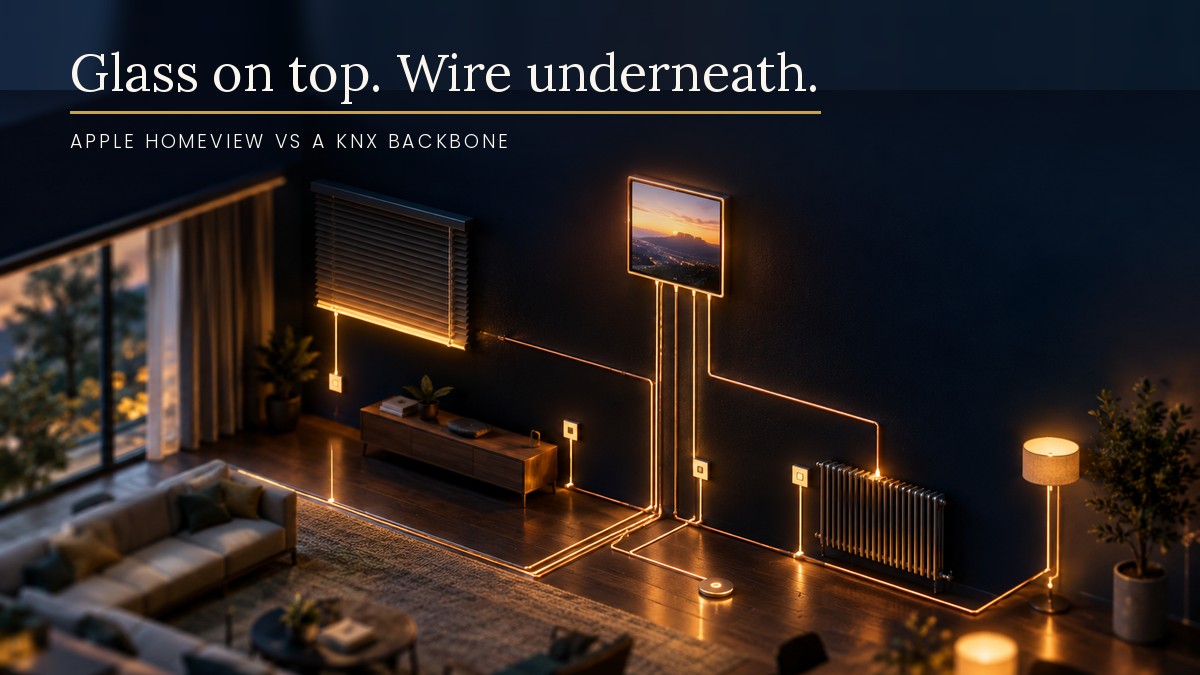
Apple announced its first smart display on 13 October. It is called HomeView, it costs $299, pre-orders are open and it ships on 13 November. The question I expect to hear now is the obvious one. “Does this mean I can skip the KNX?”
No. But it is a good excuse to say clearly what each layer does, because Apple has just made the glass layer a lot more attractive.
What Apple actually announced
HomeView has a 7-inch square touchscreen, an A18 chip and a 12-megapixel camera for FaceTime and face recognition. There are two versions: a countertop one with a speaker in the base, and a screen-only one meant for the wall. Per the launch coverage I read, it works as an Apple Home hub, a Matter controller and a Thread border router, and it supports HomeKit Secure Video. Apple says it can recognise up to six people and change the screen to suit whoever is standing there, though that needs an iPhone or iPad on the same network.
The wall version gets three mounting options priced at $59, $79 and $129. The $129 one is a PoE wired mount. Gizmodo’s write-up does not explain how that mount works, so I will not guess at the details.
None of the articles I read said whether HomeView will be sold in South Africa. Treat availability here as unconfirmed.
What it is good at
I like this product, on paper. A proper Apple screen on the wall, with Siri, cameras, scenes and a family-aware interface, is a nicer front end than most wall tablets I have seen in a client’s home. And it is a hub, which matters, because Apple Home needs one to keep running automations and remote access when your phone is not in the room.
For a KNX client who already uses Apple Home, that is a real upgrade to the glass layer.
What it is not
A screen is a way to ask for something. A control system is what makes sure the thing actually happens, every time, for everybody.
HomeView does not read a KNX push button. It does not switch a Hager actuator, dim a DALI circuit, drive a blind motor or log a leak sensor. It talks Matter and Thread. Your building talks KNX. Between them you need a gateway.
That is where the 1Home Server comes in on my projects. According to 1Home’s documentation, it acts as a Matter bridge that brings KNX devices to Apple Home, Google Home and SmartThings, connecting to the KNX bus through KNXnet/IP tunneling or TP. Their Apple Home page says Matter runs completely locally, and that in their tests Apple Home still paired, ran commands and worked with Siri with the internet disconnected. They list Apple TV, HomePod mini and HomePod as supported hubs. HomeView is not on that list because it did not exist when the page was written. It is a Matter controller and home hub according to the coverage, so I expect it to slot in, but I have not tested it and neither has anyone I know yet.
The same page is honest about limits. 150-plus devices work, performance slows at 200-plus, and Apple Home does not yet sort devices into rooms through Matter, so a companion app has to do that. That is a gateway doing a job well, not a replacement for the bus.
The three things I would plan before it ships
Power and the hub. A home hub that loses power stops being a hub. In Johannesburg that means asking whether the display and the network gear behind it are on the backed-up circuit. The wall mounts are available as USB-C, AC wired and PoE. If a client wants the PoE one, the PoE switch, its UPS and the cable run to the wall plate all belong in the design, not in a site visit after the plaster is closed.
Where the wall plate goes. A KNX wall panel and a HomeView are not the same thing, and I would not put a $299 screen in a position where it is the only way to turn on the lights. Pretty glass is a great addition next to a row of proper buttons. It is a poor substitute for them. My rule from the NFC post applies here too: if losing the control causes a problem, it goes on the wall, wired.
Who owns the ecosystem. Matter is meant to make the hub choice less sticky, but a Google writer made the point this week that the smart home may be too messy even for Google, and that Apple now faces the same fragmentation problem. A KNX backbone means that if Apple, Google or Amazon change direction in five years, the building still works and you just swap the screen.
The honest take
Apple finally shipping a serious home display is good news for KNX owners. The experience layer is getting better, the hub is better, and Matter plus Thread is there for the odd lamp or sensor that was never worth wiring.
But the order of things has not changed. Wire the foundation properly. Add the nice glass on top. Do not let a screen sit in the spec where the switch should be.
For architects and designers
If a client says they want HomeView, you do not need to redraw anything. Mark a data point and, if they want the PoE version, a PoE-capable cable run at the chosen wall position. Keep the lighting, blinds and heating controls on the KNX line with tactile wall buttons, and let the display be the bonus. If the client is in South Africa, check availability before you build a design around it.
Thinking about a build or renovation? Just a conversation about what the project needs. wayne@knxlogic.co.za | 082 564 3982 | www.knxlogic.co.za
Sources
Gizmodo, “Apple Officially Announces Its Smart Home Hub: the HomeView” (13 Oct 2026). CoolThings, “Apple HomeView Brings Smart Home Control with Matter and Thread Compatibility”. MacRumors Top Stories, 17 Oct 2026. 9to5Google, Daniel Bader, “The smart home may be too messy even for Google” (15 Oct 2026). 1Home documentation: 1Home Server for KNX; Matter bridge, Apple Home.